Community


Published: 03-03-2025
10 min read
#Json
 Before we create a new setting, here is a quick template for a new empty page:For the fc.list, there are two parts to cover. 1. Page Query 2. the
`fc.list` component in the Page's descendants section.Let's bring all the details and build a new manifest setting: Name: `fc.mystique.manifest.oms.fragment.myVariantProducts`Context: ACCOUNTContext ID: 0Value Type: JSONJSON Value:Here are the quick steps to form the page manifest JSON: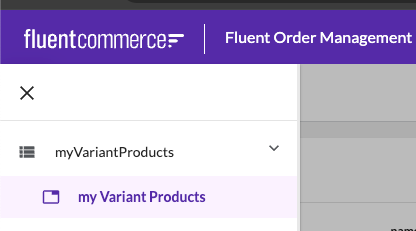
`fc.list` setup can be found here.Randy Chan
Copyright © 2026 Fluent Commerce

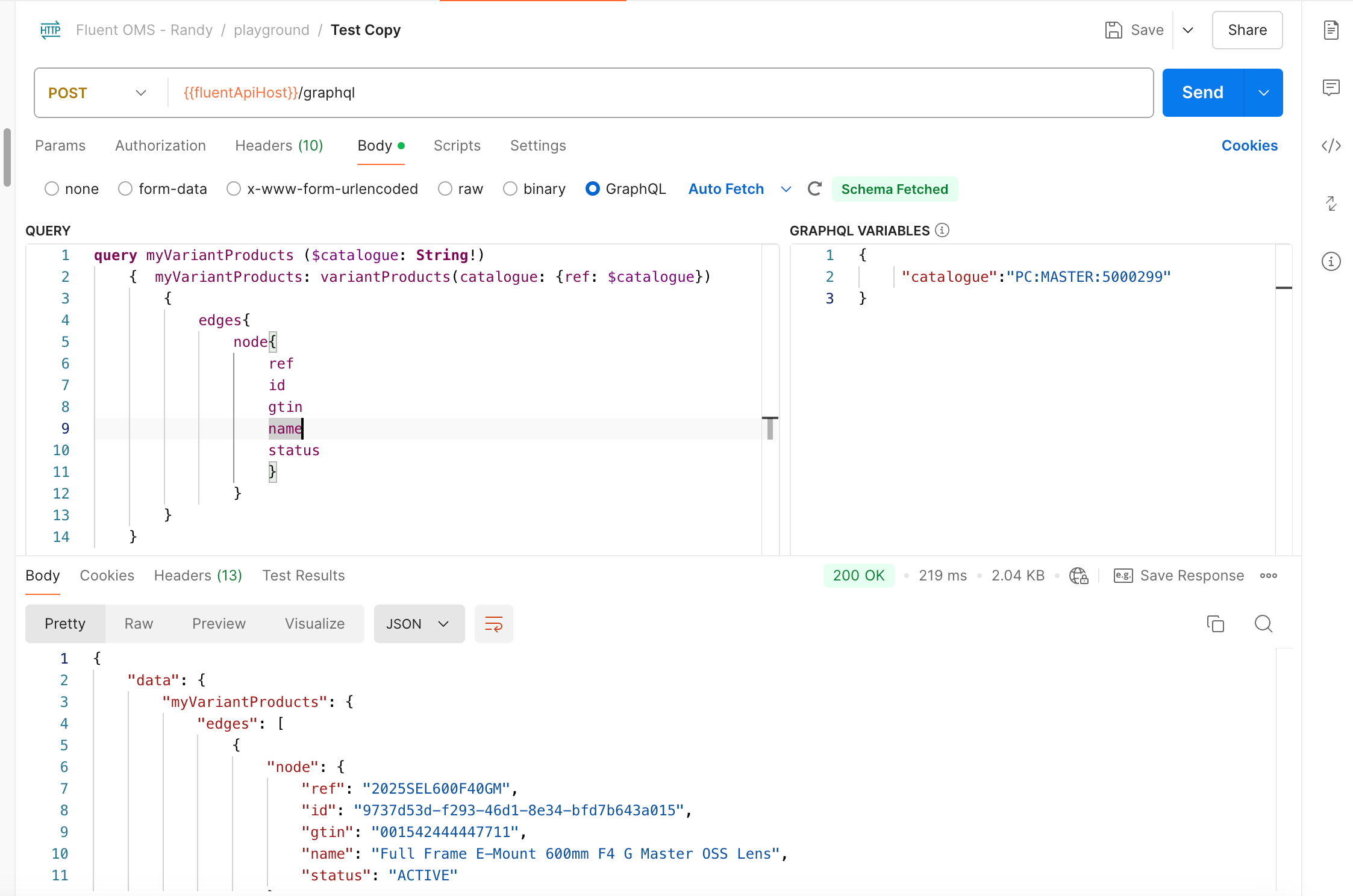
1POST: {{fluentApiHost}}/graphql
2
3
4Variables:
5{
6     "catalogue":"PC:MASTER:5000299"
7}
8
9Query:
10query myVariantProducts ($catalogue: String!)
11    {  myVariantProducts: variantProducts(catalogue: {ref: $catalogue})
12        {
13            edges{
14                node{
15                    ref
16                    id
17                    gtin
18                    name
19                    status
20                    }
21                }
22        }
23    }
241{
2 "manifestVersion": "2.0",
3 "routes": [
4 {
5 "type": "section",
6 "nav": {
7 "label": "{{replace:label}}",
8 "icon": "view_list"
9 },
10 "pages": [
11 {
12 "path": "{{replace:pathName}}",
13 "type": "page",
14 "component": "fc.page",
15 "nav": {
16 "label": "{{replace:navlabel}}",
17 "icon": "MdTab"
18 },
19 "props": {
20 "title": "{{replace:pageTitle}}"
21 },
22 "descendants": [
23
24 ]
25 }
26 ]
27 }
28 ]
29}1"data": {
2 "query": "query myVariantProducts ($catalogue: String!) { myVariantProducts: variantProducts(catalogue: {ref: $catalogue}){ edges{ node{ attributes { name value type} ref id gtin name status } } }}",
3 "variables": {
4 "catalogue": "PC:MASTER:{{activeRetailer.id}}"
5 }
6},1"component": "fc.list",
2 "props": {
3 "dataSource": "myVariantProducts",
4 "filter": {
5 "enabled": true,
6 "exclude": [
7 "workflowRef",
8 "workflowVersion"
9 ]
10 },
11 "attributes": [
12 {
13 "label": "i18n:fc.myVariantProducts.index.list.column.ref.heading",
14 "template": "{{node.ref}}"
15 },
16 {
17 "label": "i18n:fc.myVariantProducts.index.list.column.name.heading",
18 "template": "{{node.name}}"
19 },
20 {
21 "label": "i18n:fc.myVariantProducts.index.list.column.gtin.heading",
22 "template": "{{node.gtin}}"
23 },
24 {
25 "label": "i18n:fc.myVariantProducts.index.list.column.status.heading",
26 "template": "{{node.status}}"
27 }
28 ]
29 }
30}1{
2 "manifestVersion": "2.0",
3 "routes": [
4 {
5 "type": "section",
6 "nav": {
7 "label": "i18n:fc.myVariantProducts.nav",
8 "icon": "view_list"
9 },
10 "pages": [
11 {
12 "path": "myVariantProducts",
13 "type": "page",
14 "component": "fc.page",
15 "data": {
16 "query": "query myVariantProducts ($catalogue: String!) { myVariantProducts: variantProducts(catalogue: {ref: $catalogue}){ edges{ node{ attributes { name value type} ref id gtin name status } } }}",
17 "variables": {
18 "catalogue": "PC:MASTER:{{activeRetailer.id}}"
19 }
20 },
21 "nav": {
22 "label": "i18n:fc.myVariantProducts.index.nav",
23 "icon": "MdTab"
24 },
25 "props": {
26 "title": "my VariantProducts List"
27 },
28 "descendants": [
29 {
30 "component": "fc.list",
31 "props": {
32 "dataSource": "myVariantProducts",
33 "filter": {
34 "enabled": true,
35 "exclude": [
36 "workflowRef",
37 "workflowVersion"
38 ]
39 },
40 "attributes": [
41 {
42 "label": "i18n:fc.myVariantProducts.index.list.column.ref.heading",
43 "template": "{{node.ref}}"
44 },
45 {
46 "label": "i18n:fc.myVariantProducts.index.list.column.name.heading",
47 "template": "{{node.name}}"
48 },
49 {
50 "label": "i18n:fc.myVariantProducts.index.list.column.gtin.heading",
51 "template": "{{node.gtin}}"
52 },
53 {
54 "label": "i18n:fc.myVariantProducts.index.list.column.status.heading",
55 "template": "{{node.status}}"
56 }
57 ]
58 }
59 }
60 ]
61 }
62 ]
63 }
64 ]
65}1"fc.myVariantProducts.nav": "myVariantProducts",
2"fc.myVariantProducts.index.nav": "my Variant Products",
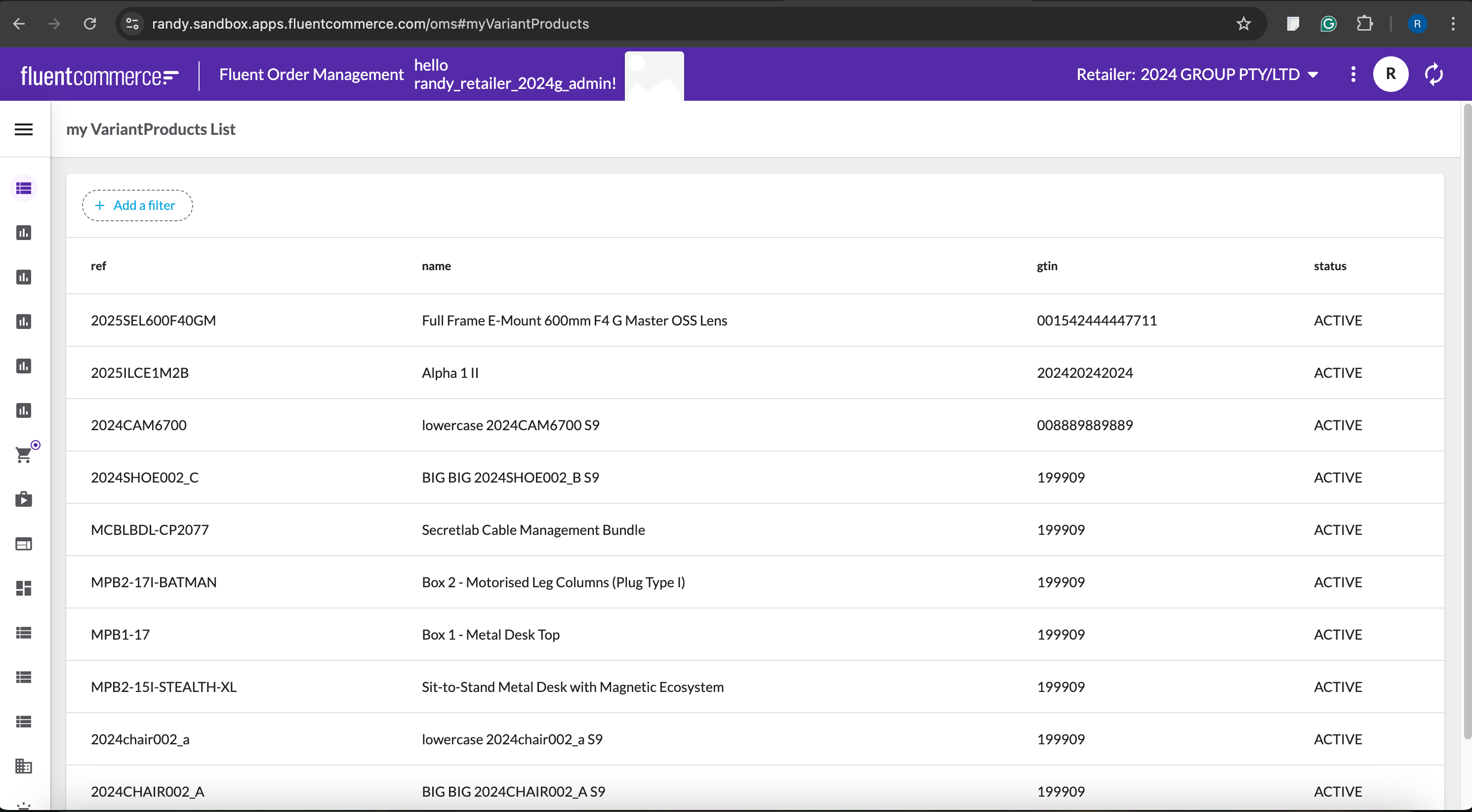
3"fc.myVariantProducts.index.title": "my VariantProducts List",
4"fc.myVariantProducts.index.list.column.ref.heading": "ref",
5"fc.myVariantProducts.index.list.column.id.heading": "id",
6"fc.myVariantProducts.index.list.column.gtin.heading": "gtin",
7"fc.myVariantProducts.index.list.column.name.heading": "name",
8"fc.myVariantProducts.index.list.column.status.heading": "status",1,
2{
3 "type": "reference",
4 "settingName": "fc.mystique.manifest.oms.fragment.myVariantProducts"
5}