
Community


Published: 02-04-2025
25 min read
#Json
`fc.mystique.manifest.oms.fragment.ordermanagement``fc.oms.mystique.order.search.variantProduct.statuses``ordermangement` setting to include fc.filterpanel component `fc.mystique.manifest.oms.fragment.ordermanagement`The order manifest template can be found in hereName:` fc.mystique.manifest.oms.fragment.ordermanagement`Context: ACCOUNTContext ID: 0Value Type: JSONJSON Value: copy from Available template link.After this step, your Fluent OMS gets the order management content from your account setting.`[`` "CREATED",`` "INACTIVE",`` "ACTIVE",`` "RECALLED"``]`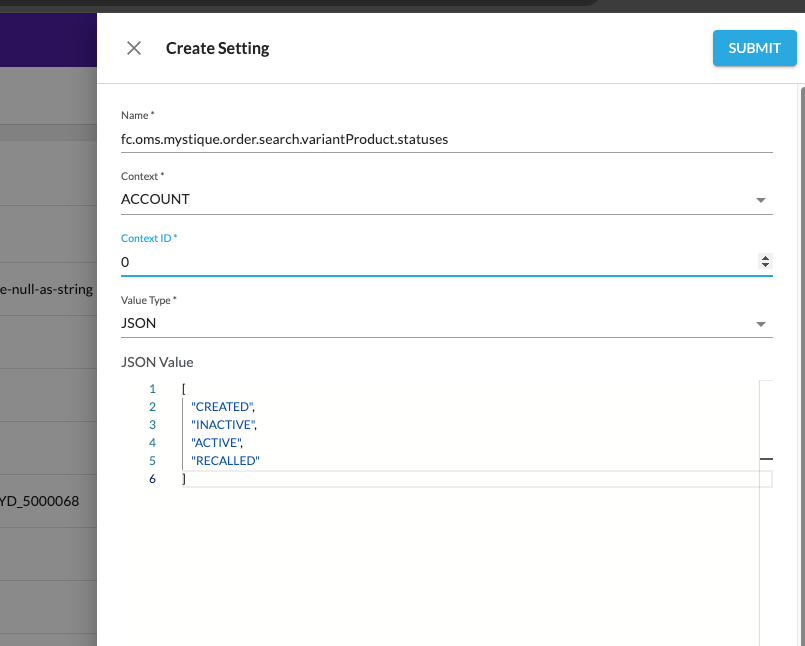 Add the new setting to the order management setting
 `fc.mystique.manifest.oms.fragment.ordermanagement` so that when fc.filterPanel (next step) can use the setting.1,
2{
3 "name": "fc.oms.mystique.order.search.variantProduct.statuses"
4}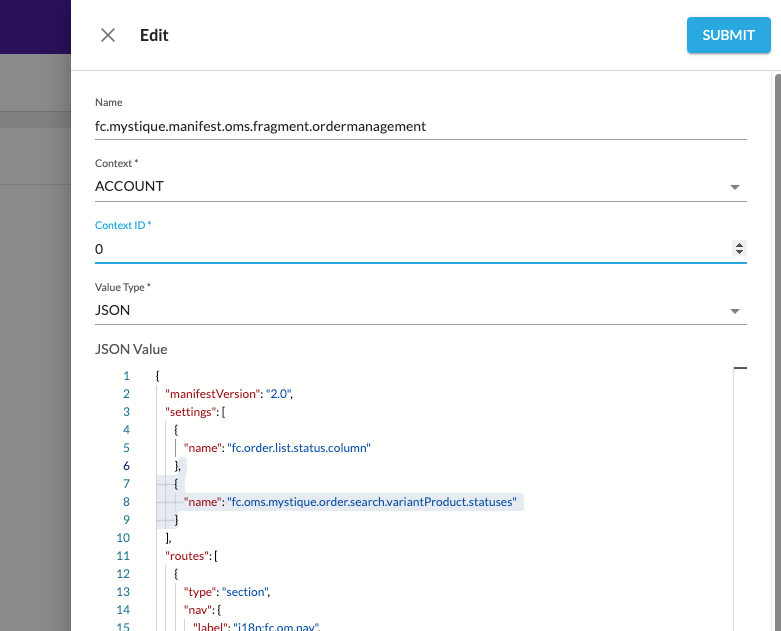 Step 4:Here is my current order list:
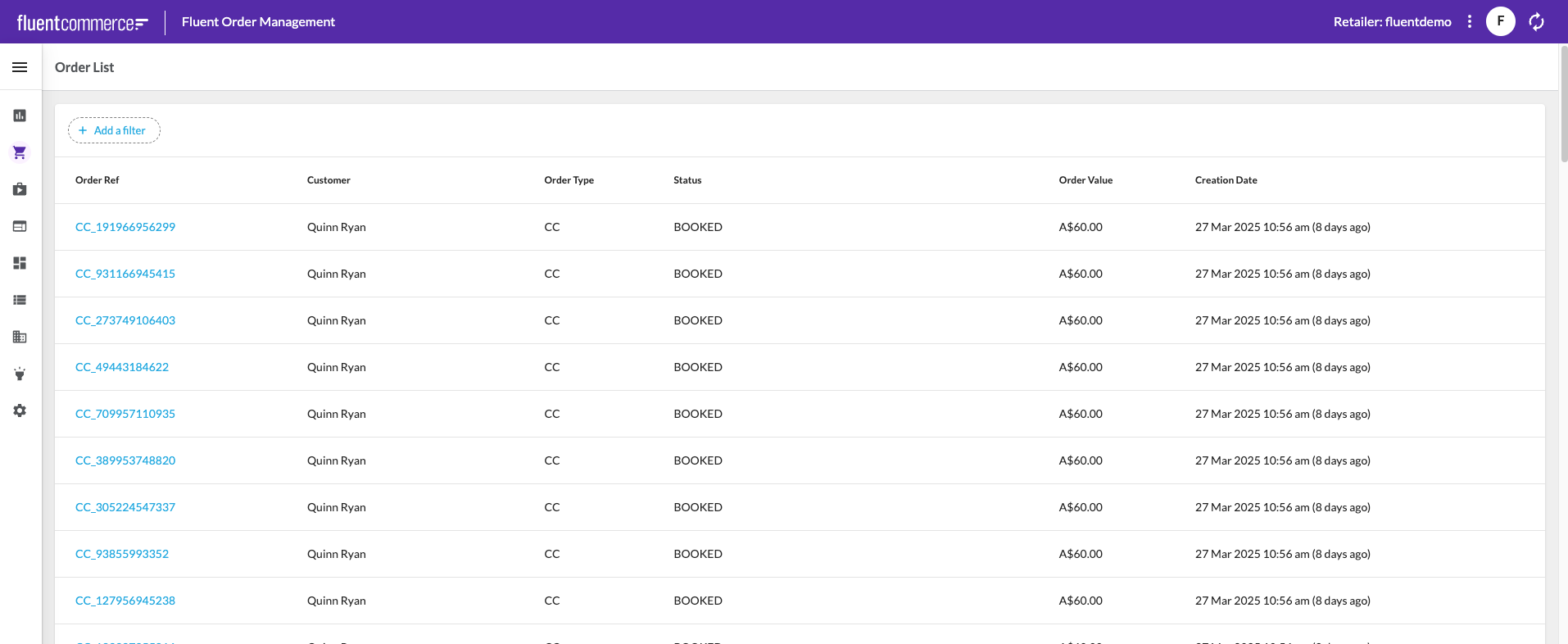 Before I add the new fc.filterpanel filter, I should disable the fc.list filter to avoid any confusion to the user, so got the setting:
 `fc.mystique.manifest.oms.fragment.ordermanagement` and looked up fc.list that displays the order list, change the filter->enabled: from `true` to `false` then click on the submit button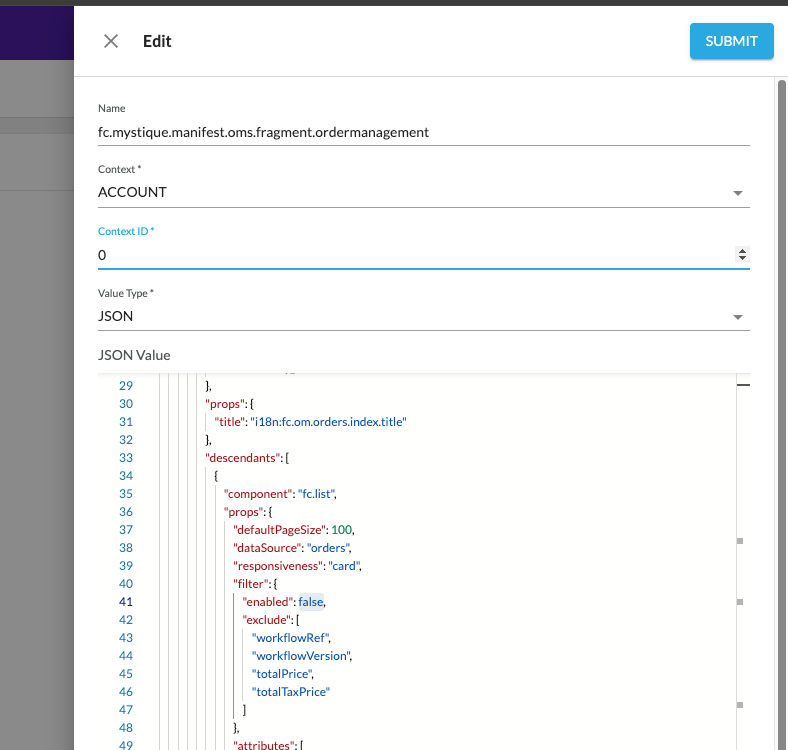 Go back to the Order list page; the filter is now disabled from the list:
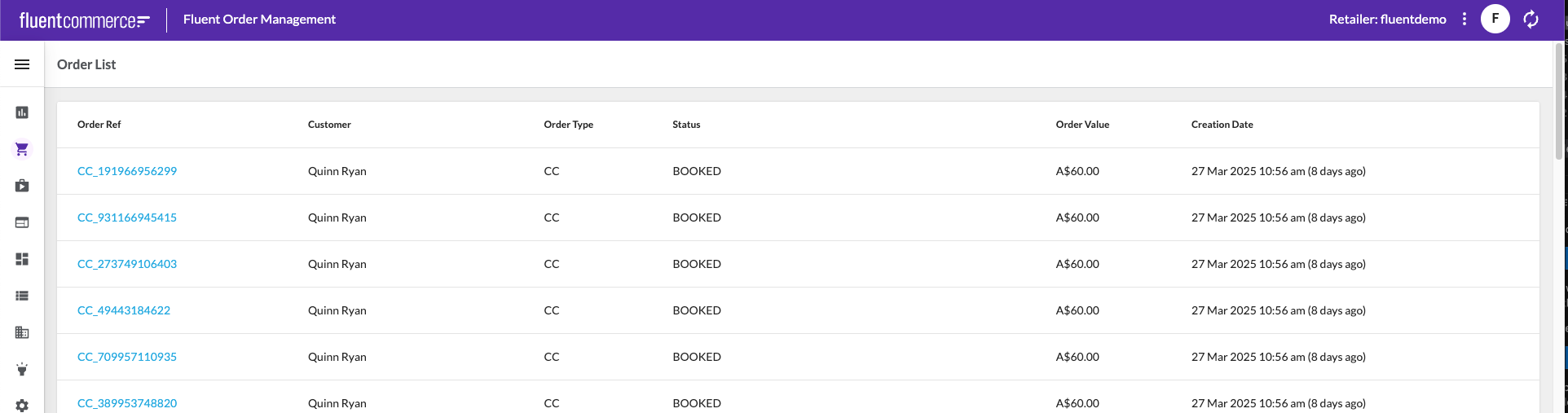 Next, add a simple fc.filterPanel above the fc.list section
1{
2 "component": "fc.filterPanel",
3 "props": {
4 "filtersSource": "orders",
5 "allowReadWriteUrlParams": false,
6 "overrides":{
7 },
8 "exclude": [
9 "createdon",
10 "updatedOn",
11 "quantity",
12 "paidPrice",
13 "currency",
14 "retailerId",
15 "price",
16 "taxPrice",
17 "taxType",
18 "totalPrice",
19 "totalTaxPrice",
20 "type",
21 "status",
22 "ref2",
23 "tag1",
24 "tag2",
25 "tag3"
26 ]
27 }
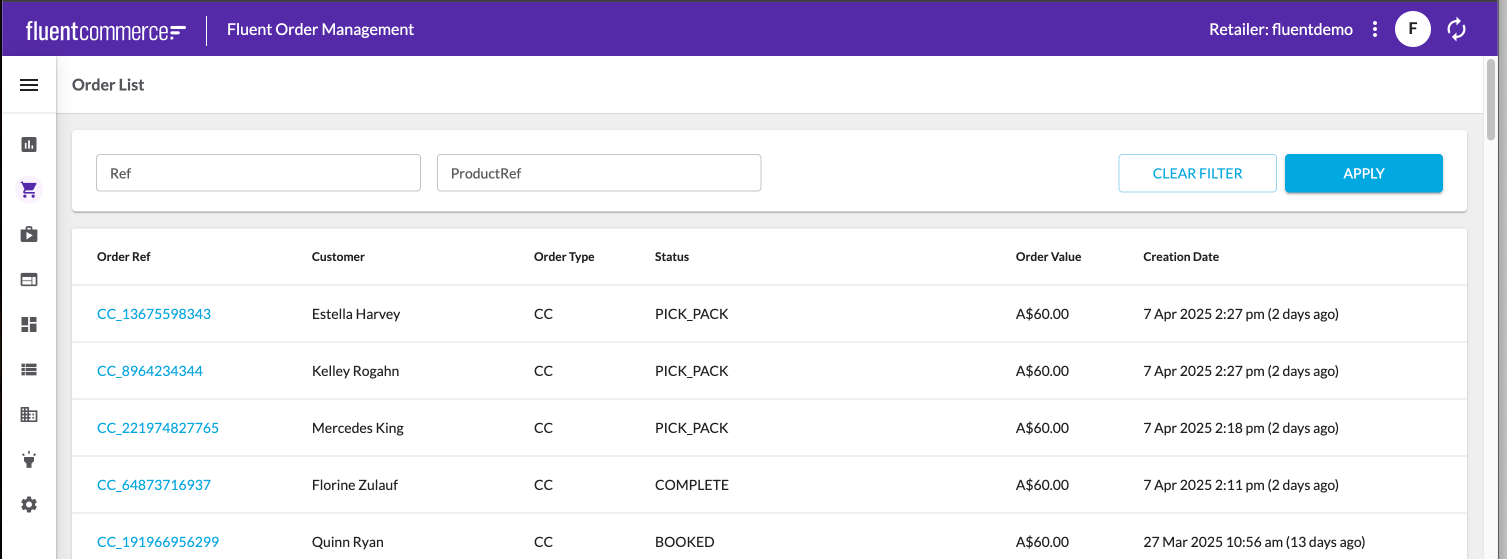
28},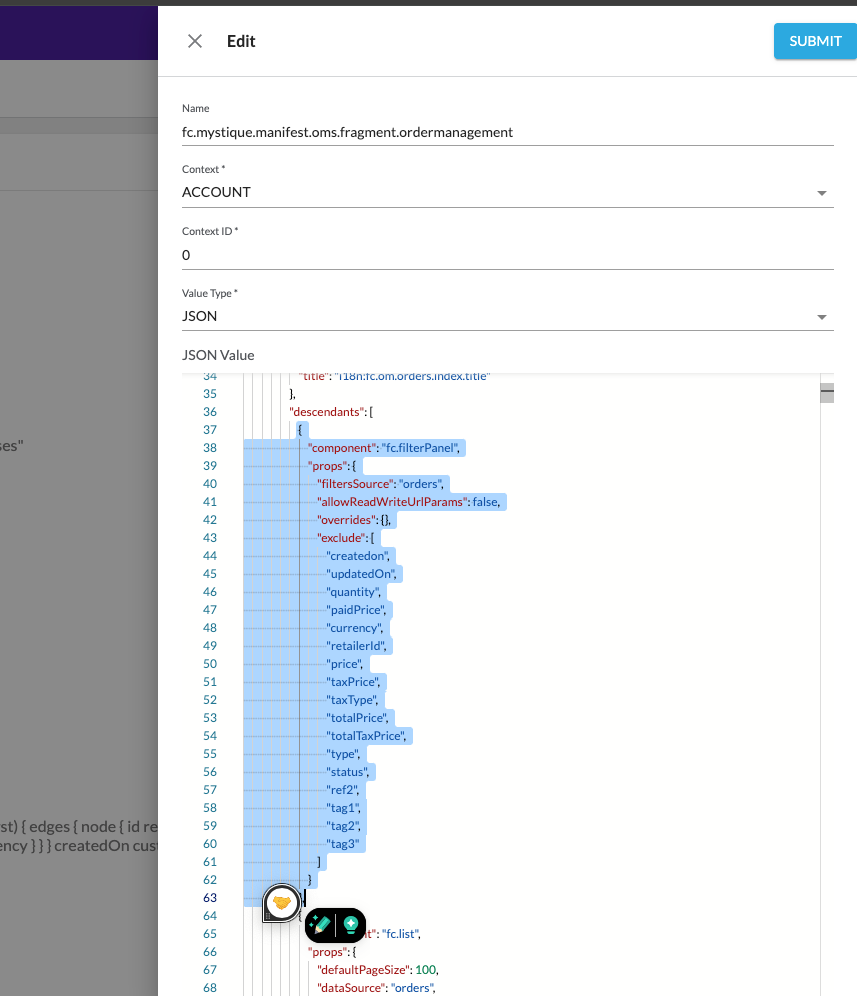 The filter panel is now visible on the UI with Order Ref and Product Ref as free text fields:
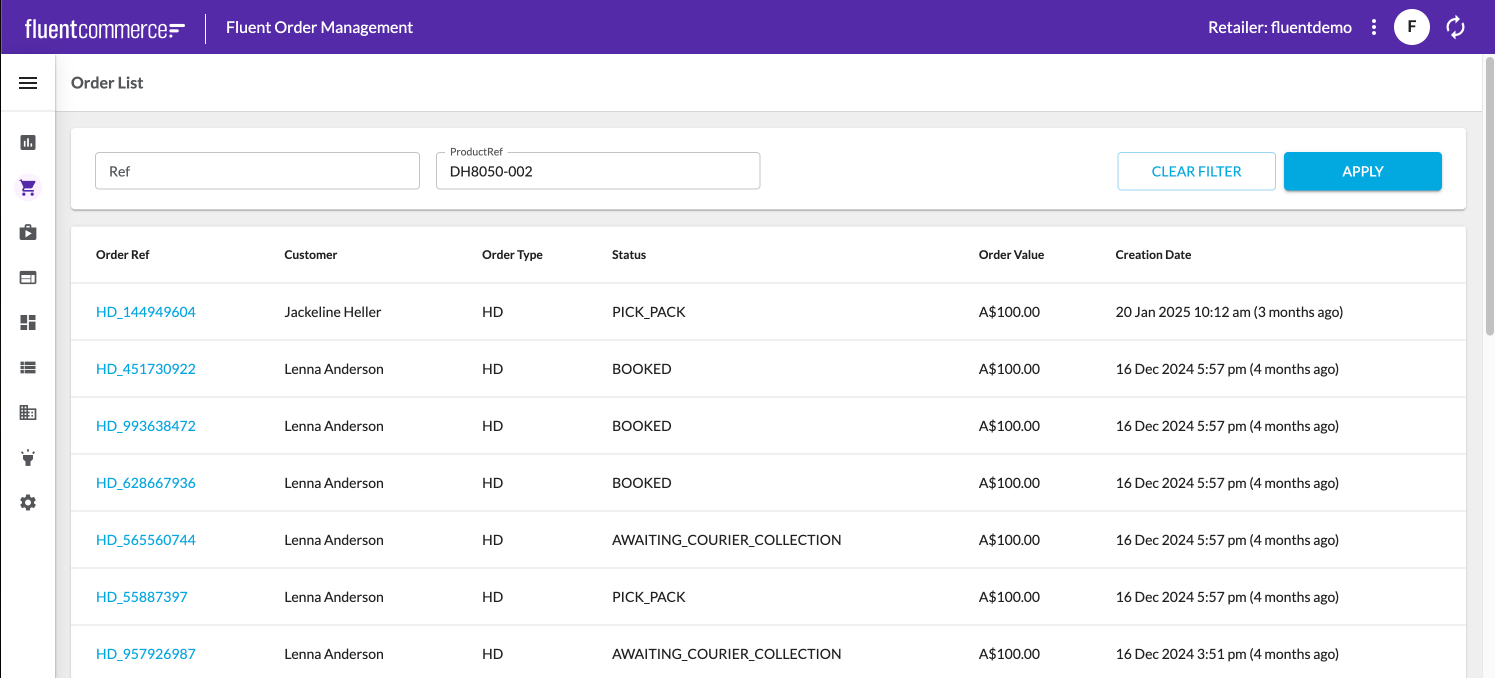
  The filter is functional when you enter a valid product Ref:
 The next level is I want the user to be able to search the product Ref by ref, name or status on the filter rather than manually entering the product Ref on the free test field. So, I am going to use the override section in fc.filterPanel to enhance the filter:
1{
2 "component": "fc.filterPanel",
3 "props": {
4 "filtersSource": "orders",
5 "allowReadWriteUrlParams": false,
6 "overrides": {
7 "productRef": {
8 "component": "fc.field.filterComplex",
9 "label": "Product Ref",
10 "extensions": {
11 "query": "query products($products_ref: [String!], $products_name: [String!]) {\n variant: variantProducts(\n ref: $products_ref\n name: $products_name\n ) {\n edges {\n node {\n ref\n id name\n status attributes {\n name\n value\n }\n }\n }\n }\n}",
12 "variables": {
13 "variant_first": 100
14 },
15 "searchItemConfig": {
16 "component": "fc.card.product",
17 "props": {
18 "title": "{{node.name}}",
19 "cardImage": {
20 "imageUrl": "{{node.attributes.byName.imageUrl}}"
21 },
22 "attributes": [
23 {
24 "value": "{{node.ref}}"
25 },
26 {
27 "label": "Status:",
28 "value": "{{node.status}}"
29 }
30 ]
31 }
32 },
33 "chipItemConfig": {
34 "label": "{{node.name}}",
35 "query": "query products($products_ref: [String!], $products_name: [String!]) {\n variant: variantProducts(ref: $products_ref, name: $products_name) {\n edges {\n node {\n ref\n name\n status }\n }\n }\n}",
36 "variables": {
37 "variant_first": 100
38 }
39 },
40 "onChangeValues": {
41 "value": "node.ref",
42 "variableName": "products_ref"
43 },
44 "exclude": [
45 "createdon",
46 "updatedon",
47 "type",
48 "gtin",
49 "summary",
50 "productcatalogue"
51 ],
52 "overrides": {
53 "name": {
54 "sortPrefix": 1
55 },
56 "ref": {
57 "sortPrefix": 2
58 },
59 "status": {
60 "component": "select",
61 "label": "Product Status",
62 "multiple": true,
63 "sortPrefix": 3,
64 "extensions": {
65 "hideDefaultValue": true,
66 "source": "fc.oms.mystique.order.search.variantProduct.statuses"
67 }
68 }
69 }
70 }
71 }
72 },
73 "exclude": [
74 "createdon",
75 "updatedOn",
76 "quantity",
77 "paidPrice",
78 "currency",
79 "retailerId",
80 "price",
81 "taxPrice",
82 "taxType",
83 "totalPrice",
84 "totalTaxPrice",
85 "type",
86 "status",
87 "ref2",
88 "tag1",
89 "tag2",
90 "tag3"
91 ]
92 }
93 },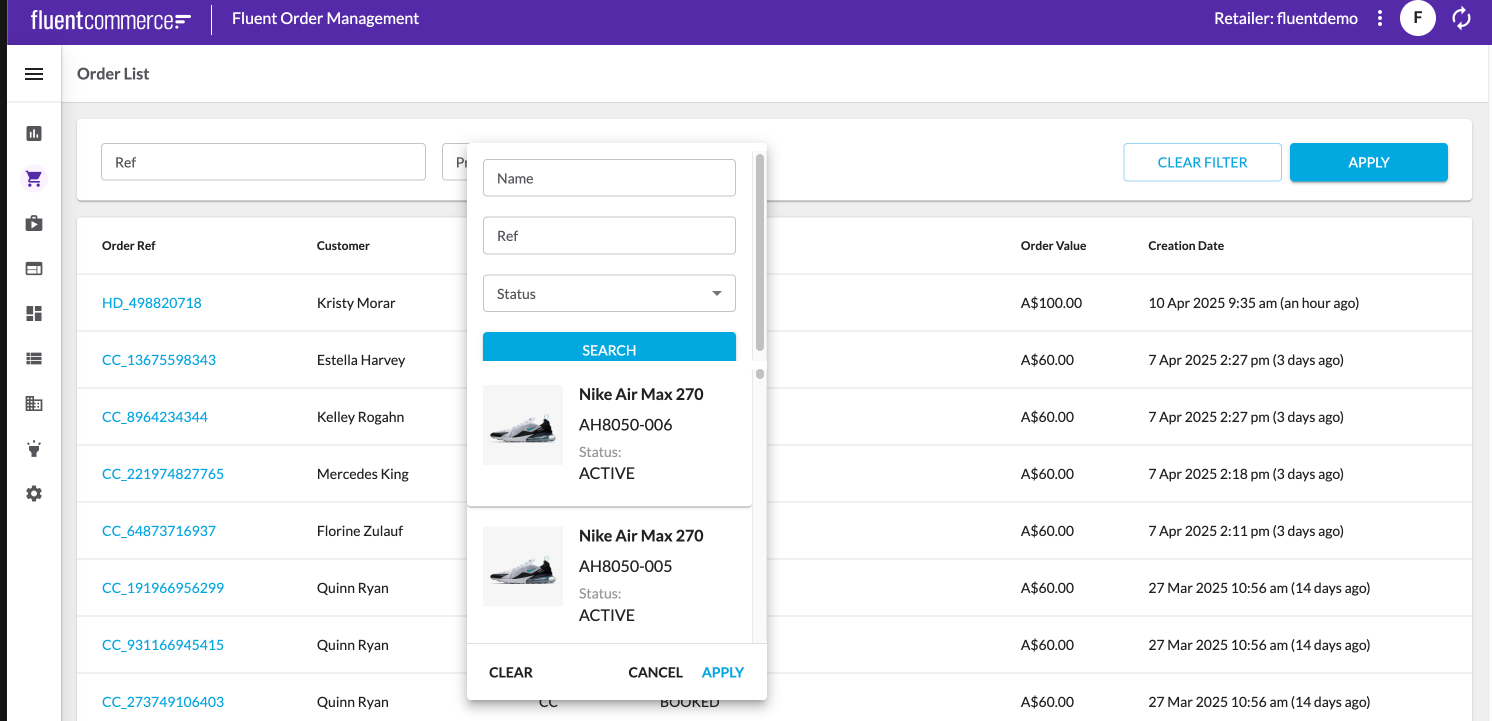 Step 5:Update labels with language setting.
1{
2 "component": "fc.filterPanel",
3 "props": {
4 "filtersSource": "orders",
5 "allowReadWriteUrlParams": false,
6 "overrides": {
7 "productRef": {
8 "component": "fc.field.filterComplex",
9 "label": "i18n:fc.om.orders.filterPanel.productRef.label",
10 "extensions": {
11 "query": "query products($products_ref: [String!], $products_name: [String!]) {\n variant: variantProducts(\n ref: $products_ref\n name: $products_name\n ) {\n edges {\n node {\n ref\n id name\n status attributes {\n name\n value\n }\n }\n }\n }\n}",
12 "variables": {
13 "variant_first": 100
14 },
15 "searchItemConfig": {
16 "component": "fc.card.product",
17 "props": {
18 "title": "{{node.name}}",
19 "cardImage": {
20 "imageUrl": "{{node.attributes.byName.imageUrl}}"
21 },
22 "attributes": [
23 {
24 "value": "{{node.ref}}"
25 },
26 {
27 "label": "i18n:fc.om.orders.filterPanel.productRef.status.label",
28 "value": "{{node.status}}"
29 }
30 ]
31 }
32 },
33 "chipItemConfig": {
34 "label": "{{node.name}}",
35 "query": "query products($products_ref: [String!], $products_name: [String!]) {\n variant: variantProducts(ref: $products_ref, name: $products_name) {\n edges {\n node {\n ref\n name\n status }\n }\n }\n}",
36 "variables": {
37 "variant_first": 100
38 }
39 },
40 "onChangeValues": {
41 "value": "node.ref",
42 "variableName": "products_ref"
43 },
44 "exclude": [
45 "createdon",
46 "updatedon",
47 "type",
48 "gtin",
49 "summary",
50 "productcatalogue"
51 ],
52 "overrides": {
53 "name": {
54 "sortPrefix": 1
55 },
56 "ref": {
57 "sortPrefix": 2
58 },
59 "status": {
60 "component": "select",
61 "label": "i18n:fc.om.orders.filterPanel.productRef.result.status.label",
62 "multiple": true,
63 "sortPrefix": 3,
64 "extensions": {
65 "hideDefaultValue": true,
66 "source": "fc.oms.mystique.order.search.variantProduct.statuses"
67 }
68 }
69 }
70 }
71 }
72 },
73 "exclude": [
74 "createdon",
75 "updatedOn",
76 "quantity",
77 "paidPrice",
78 "currency",
79 "retailerId",
80 "price",
81 "taxPrice",
82 "taxType",
83 "totalPrice",
84 "totalTaxPrice",
85 "type",
86 "status",
87 "ref2",
88 "tag1",
89 "tag2",
90 "tag3"
91 ]
92 }
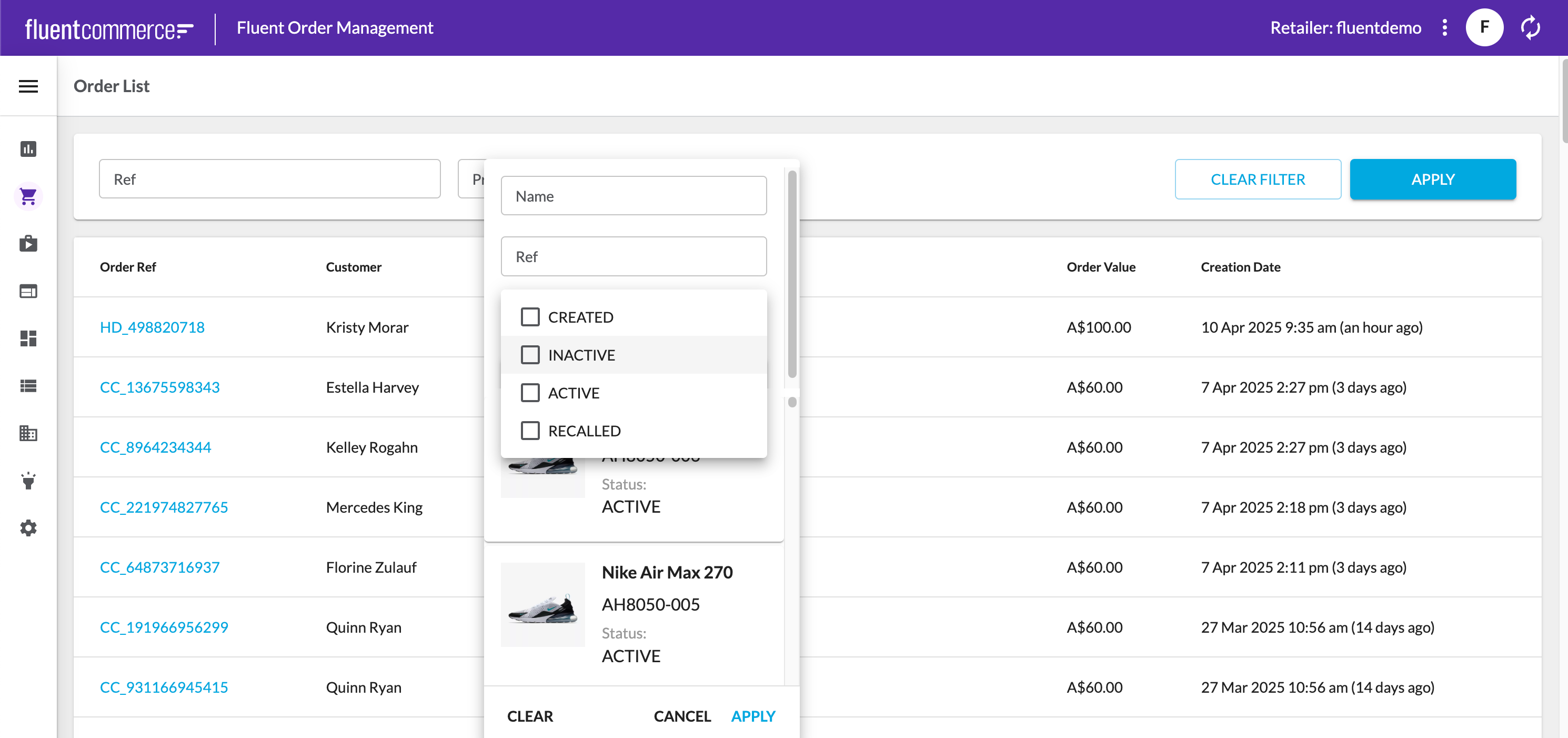
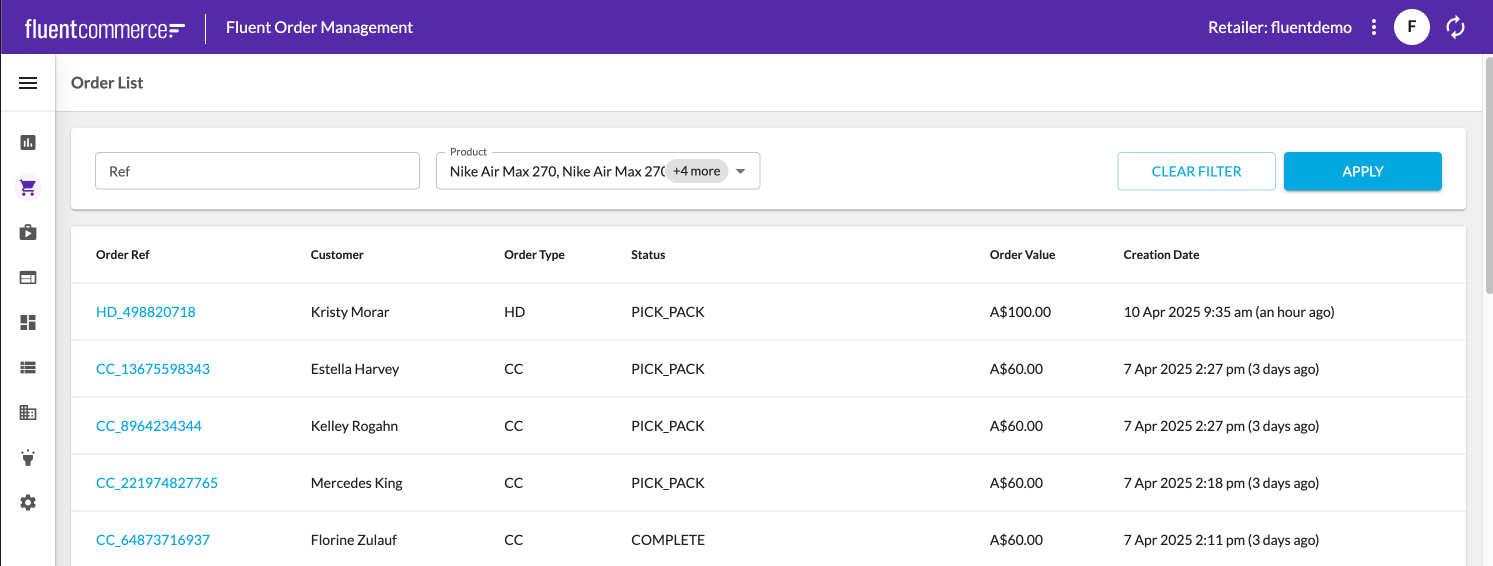
93},`fc.oms.mystique.order.search.variantProduct.statuses`:`[`` {`` "label": "fc.om.orders.filterPanel.productRef.status.active",`` "value": "ACTIVE"`` },`` {`` "label": "fc.om.orders.filterPanel.productRef.status.inactive",`` "value": "INACTIVE"`` },`` {`` "label": "fc.om.orders.filterPanel.productRef.status.created",`` "value": "CREATED"`` },`` {`` "label": "fc.om.orders.filterPanel.productRef.status.recalled",`` "value": "RECALLED"`` }``]`Go to Setting: LANGUAGE_EN-AU and add the label value pairs to the JSON VALUE:` "fc.om.orders.filterPanel.productRef.status.created": "CREATED",`` "fc.om.orders.filterPanel.productRef.status.active": "ACTIVE",`` "fc.om.orders.filterPanel.productRef.status.inactive": "INACTIVE",`` "fc.om.orders.filterPanel.productRef.status.recalled": "RECALLED",`` "fc.om.orders.filterPanel.productRef.label": "Product",`` "fc.om.orders.filterPanel.productRef.status.label": "Status",`` "fc.om.orders.filterPanel.productRef.result.status.label": "Status",`` "fc.om.orders.index.list.column.updatedOn.heading": "Updated Date",`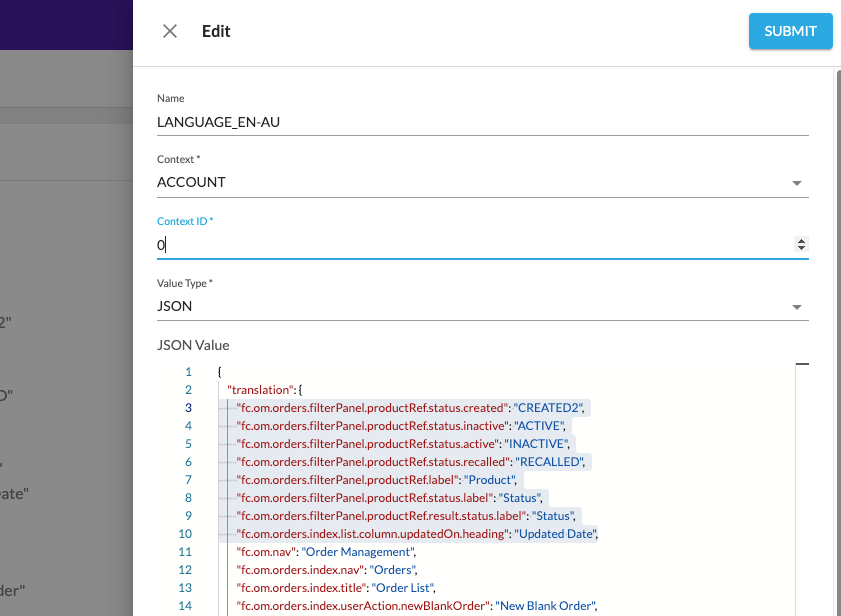
Randy Chan
Copyright © 2026 Fluent Commerce